
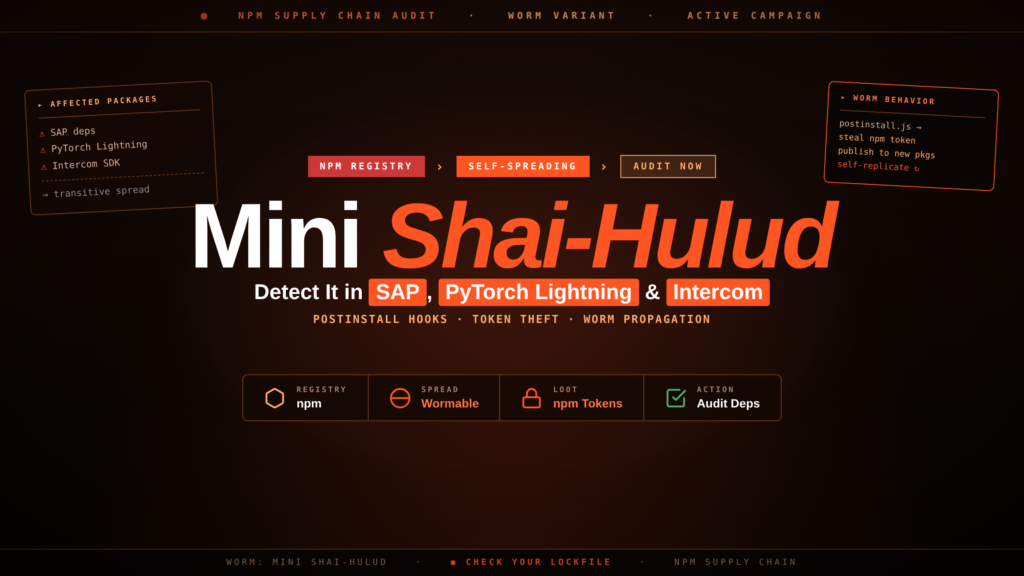
The TeamPCP threat actor executed a coordinated npm supply chain attack between April 29–30, 2026, backdooring at least seven packages across npm, PyPI, and Packagist in a campaign researchers named Mini Shai-Hulud — after the sandworm deity from Frank Herbert's Dune. The compromised packages span SAP's Cloud Application Programming (CAP) Model framework, the PyTorch Lightning machine-learning library, and the Intercom JavaScript customer messaging SDK. Their combined monthly downloads exceed 10 million. Any developer or CI pipeline that ran a fresh install during the exposure window may have had every secret on the machine or runner exfiltrated. Over 1,800 stolen-credential repositories have already appeared on GitHub.
// 01 The Mini Shai-Hulud npm Supply Chain Attack: Background and Attribution
TeamPCP is a supply chain threat actor active since at least September 2025, tracked independently by Datadog Security Labs, StepSecurity, and Wiz. Their prior operations include compromising LiteLLM and Telnyx on PyPI and — in a related incident during the same campaign window — breaching Checkmarx's own GitHub infrastructure to steal source code. Mini Shai-Hulud is their most ambitious operation to date by download volume.
The attack unfolded in two waves. The first wave on April 29 targeted four npm packages that form the core of SAP's CAP Model (an enterprise framework for building cloud applications on SAP BTP, or Business Technology Platform — SAP's cloud environment). The second wave on April 29–30 extended the campaign into the lightning package on PyPI (the Python library also marketed as PyTorch Lightning — a high-level training framework built on top of PyTorch, the popular open-source machine-learning library from Meta) and intercom-client on npm (the official JavaScript SDK for the Intercom customer engagement and messaging platform).
The Dune naming is deliberate and carries through every layer of the malware: the campaign name, the exfiltration repository descriptions, the Dune-themed repository name patterns, and even internal code strings. Researchers at Upwind and SOCRadar attribute this branding consistency to the same author(s) behind the original Shai-Hulud worm documented by Palo Alto Networks' Unit 42.
// 02 npm Supply Chain Attack Audit: Affected Packages and Exact Versions
The following package versions are confirmed malicious. When downgrading, use --ignore-scripts (npm) or --no-deps (pip) to prevent the preinstall hook from executing again during the remediation install.
| Registry | Package | Backdoored Versions | Last Safe Version | |—|—|—|—| | npm | mbt | 1.2.48 | 1.2.47 | | npm | @cap-js/sqlite | 2.2.2 | 2.2.1 | | npm | @cap-js/postgres | 2.2.2 | 2.2.1 | | npm | @cap-js/db-service | 2.10.1 | 2.10.0 | | npm | intercom-client | 7.0.4, 7.0.5 | 7.0.3 | | PyPI | lightning | 2.6.2, 2.6.3 | 2.6.1 | | Packagist | intercom/intercom-php | 5.0.2 | 5.0.1 |
Package name disambiguation: The PyPI package lightning is the rebranded successor to pytorch-lightning (renamed at the 2.0 release). If your project uses pytorch-lightning (the 1.x lineage), it was not affected by this specific compromise. Check both names in your lock files to be certain.
Download exposure window: Any npm install or pip install that resolved to these versions between April 29 and approximately May 2, 2026, is a confirmed exposure. Lock files that pinned earlier versions were protected; projects that relied on automatic patch-version resolution (^ or ~ prefixes) were not.
// 03 Payload Analysis: What the Backdoor Does
The attack vector is a preinstall hook — a script field in package.json that npm executes automatically before any other installation logic, before the developer can review the package contents. The attack runs in three stages.
Stage 1 — Loader (setup.mjs)
The preinstall hook executes setup.mjs, a 4.5 KB Node.js script. Its sole job is to download the Bun JavaScript runtime (version 1.3.13, fetched from the official github.com/oven-sh/bun releases endpoint) and cache it at ~/.bun/bin/bun. Bun is a legitimate, fast all-in-one JavaScript runtime. Using it rather than Node.js gives the payload performance benefits and a smaller forensic footprint — Bun is a single binary with no system-wide installation trail.
Stage 2 — Credential Harvester (execution.js)
Once Bun is in place, setup.mjs executes execution.js, an 11.6 MB single-line obfuscated JavaScript file. The obfuscation uses obfuscator.io layered with a custom cipher (salt: ctf-scramble-v2; PBKDF2 key: 5012caa5847ae9261dfa16f91417042f367d6bed149c3b8af7a50b203a093007). The payload runs five parallel credential collectors:
- On developer machines: harvests credentials from 134 file paths — SSH private keys (
~/.ssh/id*), AWS credentials (~/.aws/credentials), GCP configs (~/.config/gcloud/), Azure CLI state (~/.azure/), Kubernetes configs (~/.kube/config), Docker auth (~/.docker/config.json), environment files (/.env,/.env.local), npm tokens, GitHub tokens, AI tool configs (.claude.json,.cursor/), cryptocurrency wallets, and Discord and Slack session files.
- On Linux CI runners: reads
/proc/{pid}/memdirectly to dump plaintext secrets from theRunner.Workerprocess memory — this bypasses GitHub Actions' built-in secret masking, which only masks secrets in log output, not in process memory. This technique maps to MITRE ATT&CK T1056.004 (Credential API Hooking).
- Self-propagation (MITRE ATT&CK T1195.001): The worm scans
~/.npmrcand environment variables for npm publish tokens, then discovers every package the stolen token can publish to, bumps the patch version, injects the backdoor, and republishes with--tag latest. This is what makes Mini Shai-Hulud a worm: a single compromised developer can propagate the payload to entirely unrelated npm packages without any further action from the attacker.
Stage 3 — Persistence, Encryption, and Exfiltration
Stolen data is compressed with gzip and encrypted with AES-256-GCM (Advanced Encryption Standard — Government-grade symmetric encryption). The AES key itself is wrapped using the attacker's embedded RSA-4096 public key, meaning defenders who intercept the data cannot decrypt it. Exfiltration uses the GitHub API (MITRE ATT&CK T1041), creating public repositories on the victim's own GitHub account with the description "A Mini Shai-Hulud has Appeared" and Dune-themed names such as sardaukar-sietch-247 or fremen-ornithopter-83. A secondary exfiltration domain, zero.masscan.cloud, is also used.
For C2 (command-and-control) resilience, the payload also retrieves fallback configuration by searching GitHub commits for the strings beautifulcastle and EveryBoiWeBuildIsAWormyBoi. This dead-drop technique means the attacker can redirect exfiltration endpoints without modifying the payload on disk.
IDE and editor persistence (MITRE ATT&CK T1547.013): The payload writes two persistence hooks to ensure re-execution every time the developer opens their project:
.vscode/tasks.json— triggerssetup.mjson VS Code folder open.claude/settings.json— injects a Claude CodeSessionStarthook pointing to.claude/execution.js, a copy of the full payload dropped in the same directory
The malware includes one geo-evasion feature: it exits immediately with the log message "Exiting as russian language detected!" if the system locale is ru.
// 04 Step-by-Step npm Dependency Audit Checklist
Run every step below on developer workstations and CI environments that may have resolved any of the affected packages during the exposure window. For monorepos, run in each workspace root.
1. Check installed package versions
# SAP CAP Model components
npm list mbt 2>/dev/null | grep "1.2.48"
npm list @cap-js/sqlite 2>/dev/null | grep "2.2.2"
npm list @cap-js/postgres 2>/dev/null | grep "2.2.2"
npm list @cap-js/db-service 2>/dev/null | grep "2.10.1"

# Intercom JavaScript SDK
npm list intercom-client 2>/dev/null | grep -E "7.0.[45]"
For PyPI projects:
pip show lightning 2>/dev/null | grep -E "^Version: 2.6.[23]quot;
For PHP projects:
composer show intercom/intercom-php 2>/dev/null | grep -E "5.0.2"
Any match is a confirmed exposure. Proceed through all remaining steps regardless of whether you find a version match — the lock file may lag behind actual installed state.
2. Check for malicious payload files on disk
# Loader script (present in any compromised package directory)
find . -name "setup.mjs" -path "*/node_modules/*" 2>/dev/null

# 11.6 MB obfuscated payload
find . -name "execution.js" -path "*/node_modules/*" -size +10M 2>/dev/null

# Verify SHA-256 of the mbt loader against the known-bad hash
sha256sum node_modules/mbt/setup.mjs 2>/dev/null
# MALICIOUS: 4066781fa830224c8bbcc3aa005a396657f9c8f9016f9a64ad44a9d7f5f45e34

sha256sum node_modules/mbt/execution.js 2>/dev/null
# MALICIOUS: 80a3d2877813968ef847ae73b5eeeb70b9435254e74d7f07d8cf4057f0a710ac
3. Check for IDE and editor persistence hooks
# VS Code auto-task pointing to the loader
find . -path '*/.vscode/tasks.json' -exec grep -l 'setup.mjs' {} ;

# Claude Code SessionStart hook
find . -path '*/.claude/settings.json' -exec grep -l 'SessionStart' {} ;

# Payload copy dropped under .claude/
find . -path '*/.claude/execution.js' -size +1M 2>/dev/null
Delete any files found. These provide re-execution paths that survive a package downgrade.
4. Check for an injected GitHub Actions workflow
The worm creates a new branch and injects a workflow that uses toJSON(secrets) to exfiltrate the full secrets context on every future CI run:
# Look for the worm's branch
git branch -r | grep 'dependabout'

# Look for the injected workflow file
find . -path '*/.github/workflows/format-check.yml'
  -exec grep -l 'toJSON(secrets)' {} ;
If the branch exists, do not merge it. Delete it immediately:
git push origin --delete dependabout/github_actions/format/setup-formatter
Audit GitHub Actions branch protection rules to ensure only maintainers can create branches matching dependabout/**.
5. Search for dead-drop exfiltration repositories
The payload creates public repositories under your GitHub account to hold encrypted stolen credentials. Check for them immediately:
gh repo list --visibility public --json name,description --limit 200 |
  jq '.[] | select(.description == "A Mini Shai-Hulud has Appeared")'
You can also search GitHub publicly to understand campaign scope: https://github.com/search?q=%22A+Mini+Shai-Hulud+has+Appeared%22&type=repositories
Delete any matching repositories and treat any secrets they may have held as fully compromised.
6. Check for the Bun runtime dropper
The payload caches Bun to avoid re-downloading on subsequent executions. Its presence is suspicious on any machine that did not install Bun intentionally:
ls -la ~/.bun/bin/bun 2>/dev/null
# If present and Bun was not deliberately installed, treat as an IOC
7. Review CI/CD logs for the exposure window
Pull pipeline logs for any jobs that ran npm install or pip install between April 29 and May 2, 2026, without explicit version pinning. Look for the following signals:
- Outbound connections to
zero.masscan.cloud - Unexpected fetches from
github.com/oven-sh/bun/releases/download/bun-v1.3.13/ - Unexpected
npm publishsteps appearing in job output - New public repositories created under any committer identity linked to your org
In Splunk SPL (Search Processing Language — the query language for Splunk SIEM):
index=cicd sourcetype=github_actions earliest="2026-04-29" latest="2026-05-02"
| search "oven-sh/bun/releases/download/bun-v1.3.13" OR "zero.masscan.cloud"
| table _time, workflow_name, job_name, step_name, message
In Microsoft Sentinel (KQL — Kusto Query Language):
GitHubAuditLog
| where TimeGenerated between(datetime(2026-04-29) .. datetime(2026-05-02))
| where Action in ("repo.create", "packages.publish")
| project TimeGenerated, Actor, Action, Repo, AdditionalFields
| where AdditionalFields contains "sardaukar" or AdditionalFields contains "fremen"
    or AdditionalFields contains "harkonnen" or AdditionalFields contains "atreides"
// 05 Indicators of Compromise
| Type | Value | Context | |—|—|—| | SHA-256 | 4066781fa830224c8bbcc3aa005a396657f9c8f9016f9a64ad44a9d7f5f45e34 | setup.mjs loader (mbt@1.2.48) | | SHA-256 | 80a3d2877813968ef847ae73b5eeeb70b9435254e74d7f07d8cf4057f0a710ac | execution.js payload (mbt@1.2.48) | | Domain | zero.masscan.cloud | Primary exfiltration endpoint | | GitHub string | "A Mini Shai-Hulud has Appeared" | Exfiltration repository description | | GitHub commit keyword | beautifulcastle | Dead-drop C2 config retrieval marker | | GitHub commit keyword | EveryBoiWeBuildIsAWormyBoi | Dead-drop C2 config retrieval marker | | Cipher salt | ctf-scramble-v2 | Payload obfuscation identifier (YARA target) | | PBKDF2 key | 5012caa5847ae9261dfa16f91417042f367d6bed149c3b8af7a50b203a093007 | Obfuscation key (YARA target) | | File path | ~/.bun/bin/bun | Bun runtime dropper cache | | File path | .vscode/tasks.json | VS Code persistence hook | | File path | .claude/settings.json | Claude Code session hook | | File path | .claude/execution.js | Payload copy (>10 MB) | | Git branch | dependabout/github_actions/format/setup-formatter | Injected CI workflow branch | | Self-attribution string | TeamPCP Cloud stealer | Found in CanisterWorm variant strings | | Evasion string | "Exiting as russian language detected!" | Locale-based execution skip |
The following YARA rule (YARA — Yet Another Ridiculous Acronym, the industry-standard pattern-matching language for malware identification) targets the obfuscation constants shared across Mini Shai-Hulud variants. Run it against node_modules/, the .claude/ directory, and any CI artifact caches:
rule MiniShaiHulud_Payload {
    meta:
        description = "Detects Mini Shai-Hulud npm backdoor by obfuscation constants"
        author      = "CiphersSecurity"
        date        = "2026-05-05"
        reference   = "https://www.stepsecurity.io/blog/a-mini-shai-hulud-has-appeared"
    strings:
        $salt    = "ctf-scramble-v2" ascii
        $pbkdf2  = "5012caa5847ae9261dfa16f91417042f367d6bed149c3b8af7a50b203a093007" ascii
        $evasion = "Exiting as russian language detected!" ascii
        $desc    = "A Mini Shai-Hulud has Appeared" ascii
    condition:
        any of them
}
// 06 Immediate Remediation Steps
Treat every system that ran a clean install of a compromised package as fully compromised. Credentials are harvested at install time — the payload exfiltrates before writing any files to disk, so an absence of forensic artifacts on disk does not rule out exfiltration.
- Identify the exposure window. Pull CI job logs and local npm install history (
~/.npm/_logs/). Any install that resolved to affected versions between April 29 and May 2, 2026, is a confirmed exposure.
- Rotate all credentials immediately. This includes GitHub personal access tokens and OAuth apps (revoke at
github.com/settings/tokens), npm publishing tokens (npm token revoke <token-id>then re-issue vianpm token create), AWS access keys (IAM console → Security credentials), GCP service account keys (gcloud iam service-accounts keys delete), Azure service principal secrets, SSH keypairs on the affected machine, and any.envfile discovered by the payload.
- Downgrade to safe package versions. The
--ignore-scriptsflag prevents anypreinstallorpostinstallhooks from running during the remediation install:
“bash npm install mbt@1.2.47 --ignore-scripts npm install @cap-js/sqlite@2.2.1 --ignore-scripts npm install @cap-js/postgres@2.2.1 --ignore-scripts npm install @cap-js/db-service@2.10.0 --ignore-scripts npm install intercom-client@7.0.3 --ignore-scripts “
For PyPI:
“bash pip install "lightning==2.6.1" --no-deps “
- Remove persistence hooks. Delete
.vscode/tasks.jsonif modified by the malware, the entire.claude/directory if it containsexecution.js, and allsetup.mjsfiles found under anynode_modules/directory.
- Delete exfiltration repositories. Run the
ghcommand from the Detection Checklist and delete every Dune-themed repository on your account. Note their creation timestamps — those timestamps indicate when secrets were exfiltrated and help bound your incident timeline.
- Delete the injected GitHub Actions workflow branch:
“bash git push origin --delete dependabout/github_actions/format/setup-formatter “
Audit all PRs merged in the last 30 days from unfamiliar committer identities and check workflow files for toJSON(secrets).
- Regenerate your lock file after downgrading, so that future CI installs do not re-resolve to the malicious version:
“bash npm install --package-lock-only git add package-lock.json && git commit -m "chore: pin safe package versions post-Mini-Shai-Hulud" “
- Open a security incident. Even if you find no forensic artifacts, the preinstall hook runs before any files are written. Follow your incident response process, notify affected credential owners, and assume breach for scoped systems until evidence rules it out.
// 07 Hardening Your npm Pipeline Against the Next Supply Chain Attack
Mini Shai-Hulud exploited default npm behaviour: npm install executes preinstall and postinstall hooks automatically, without user confirmation or sandboxing. Several controls reduce this attack surface permanently.
Disable install scripts in CI. Set ignore-scripts=true in a project-level .npmrc for CI environments:
# .npmrc (committed to repo, CI only)
ignore-scripts=true
Or pass the flag at install time:
npm ci --ignore-scripts
Use npm ci instead of npm install in all pipelines. npm ci (clean install) installs strictly from the lock file and errors if the lock file diverges from package.json, preventing opportunistic version resolution:
npm ci --ignore-scripts
Verify package provenance. npm package provenance (available since npm 9.5) links a published package to its source repository and CI build via a signed attestation. Verify provenance before installing unfamiliar packages:
npm audit signatures
And require provenance when your own packages are published:
npm publish --provenance
Generate and track an SBOM. An SBOM (Software Bill of Materials — a machine-readable inventory of all direct and transitive dependencies and their exact versions) lets you cross-reference your installed packages against new advisories in minutes rather than hours. Generate one with:
npm sbom --sbom-format spdx --sbom-type package > sbom.spdx.json
Commit the SBOM to your repository and diff it on every dependency update PR.
Add behavioural analysis to your CI pipeline. Tools like Socket Security and Snyk perform static and behavioural analysis of packages at install time, flagging suspicious preinstall hooks, obfuscated payloads, sudden changes in package source code, and new maintainers added to existing packages. Either integrates directly into GitHub Actions via a PR check.
Monitor your own npm publish tokens. The self-propagating worm mechanism means a stolen token can push malicious versions to packages you own without any action on your part. Subscribe to npm's webhook or use a security tool that alerts on unexpected publishes from your account.
// 08 Conclusion
Mini Shai-Hulud illustrates why supply chain attacks are so effective against developer environments: the compromised code runs with full user privileges at the most trusted moment — the install step — and self-propagates using the very credentials it steals. Every project using SAP CAP Model, PyTorch Lightning, or Intercom dependencies should verify installed versions against the table above and review CI logs for the April 29–May 2 exposure window. Rotate credentials regardless of whether forensic artifacts are found. The detection checklist and YARA rule above give security teams a concrete starting point; for further npm auditing patterns that overlap with this campaign's techniques, see our DPRK npm malware detection guide.
See also:
- SAP npm Packages Backdoored by Mini Shai-Hulud — Rotate Secrets Now — the initial news bulletin covering the first wave
- Checkmarx LAPSUS$ Supply Chain Attack: GitHub Data Stolen and Leaked — the related TeamPCP operation that ran concurrently
- DPRK npm Malware Detection: Auditing npm for AI-Generated Backdoors — overlapping detection patterns for npm-targeting threat actors
For any query contact us at contact@cipherssecurity.com