

It’s almost Christmas in Wareville, and the team of The Best Festival Company (TBFC) is busy preparing for the big celebration. Everything is running smoothly until the (Splunk SIEM SOC dashboard flashes red. A ransom message suddenly appears:
The message comes from King Malhare, the jealous ruler of HopSec Island, who’s tired of Easter being forgotten. He’s sent his Bandit Bunnies to attack TBFC’s systems and turn Christmas into his new holiday, EAST-mas.
With McSkidy missing and the network under attack, the TBFC SOC team will utilize Splunk to determine how the ransomware infiltrated the system and prevent King Malhare’s plan from being compromised before Christmas.
Learning Objectives
- Ingest and interpret custom log data in SIEM
- Create and apply custom field extractions
- Use Search Processing Language (SPL) to filter and refine search results
- Conduct an investigation within Splunk to uncover key insights
Connecting to the Machine
Before moving forward, review the questions in the connection card below.
Task 2 Log Analysis with Splunk
What is the attacker IP found attacking and compromising the web server?
index=main sourcetype=web_traffic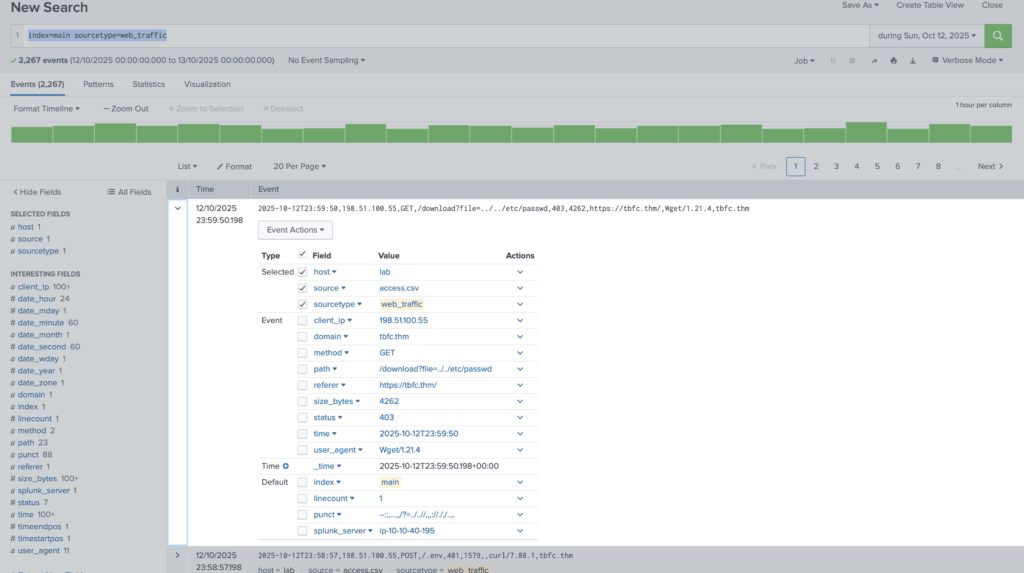
Answer: 198.51.100.55
Which day was the peak traffic in the logs? (Format: YYYY-MM-DD)
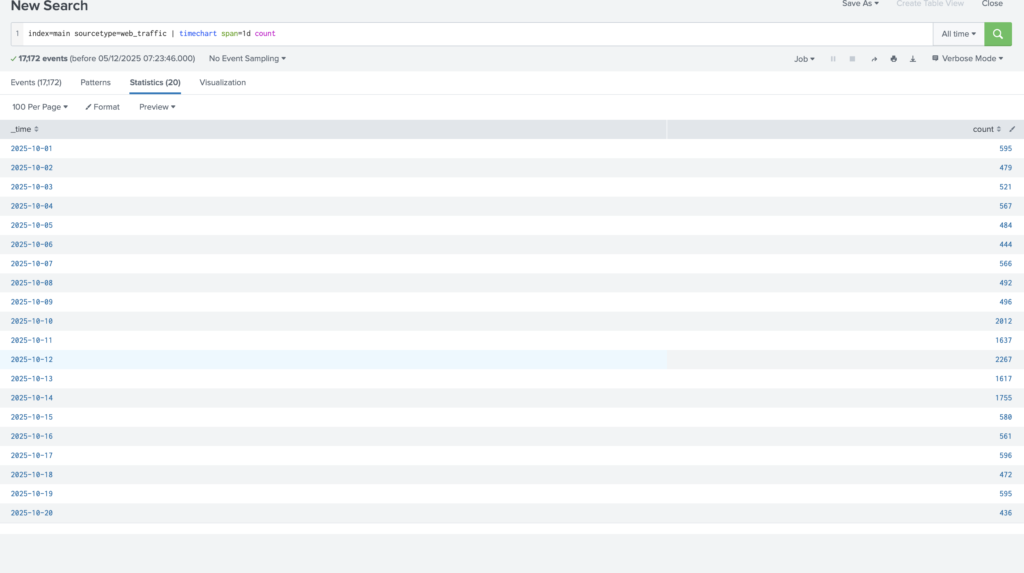
Answer: 2025-10-12
What is the count of Havij user_agent events found in the logs?
Answer: 993
How many path traversal attempts to access sensitive files on the server were observed?

Answer: 658
Examine the firewall logs. How many bytes were transferred to the C2 server IP from the compromised web server?
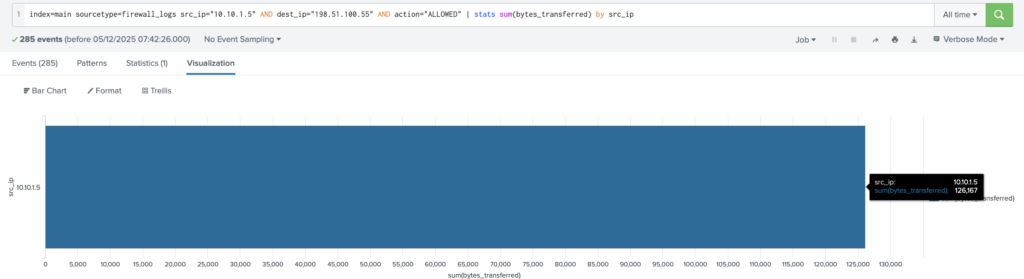
Answer: 126167
If you enjoyed today’s room, check out the Incident Handling With Splunk room to learn more about analyzing logs with Splunk.
Answer: No Answer
For any query contact us at contact@cipherssecurity.com
Thank you for reading this post, don't forget to subscribe!